About Wireless Image Utility
************************************************* New application "MultiPresenter" is the successor to "Wireless Image Utility". Please search "MultiPresenter". ************************************************* Wireless...
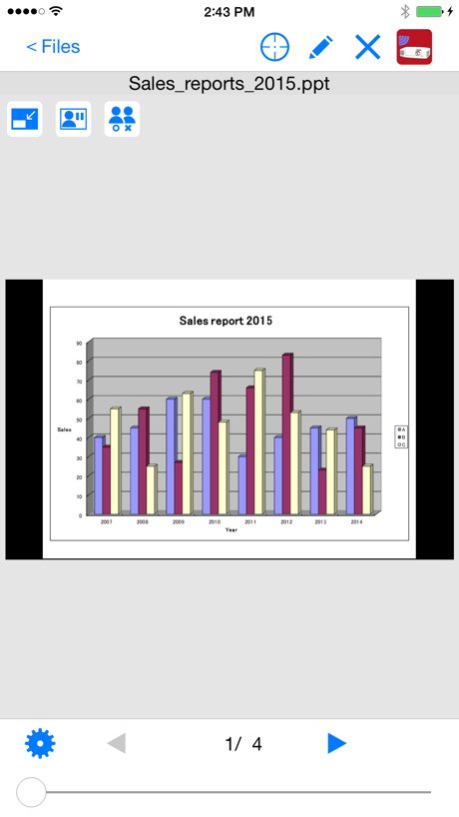
************************************************* New application "MultiPresenter" is the successor to "Wireless Image Utility". Please search "MultiPresenter". ************************************************* Wireless Image Utility is a software for projecting photos and documents to the NEC projector via wireless LAN from iPad / iPhone / iPod touch. Main Features Images and documents stored in Wireless Image Utility can be projected to the projector. Photos in the album can also be projected to the projector. Camera Feature Images captured by the built-in camera can be projected to the projector in real time. Web Feature Web pages can be projected to the projector. Marker Feature You can draw lines or characters into projected photos / documents. Pointer Feature You can display the pointer where you want the attention of photos and documents. Projector Control Feature You can control the connected projector. Switching input signal, Picture-Mute, Sound-Mute, etc. are available. Multiple Connection Feature With projectors compatible with the multiple connection feature, connections can be accepted simultaneously with the multiple devices. In addition, images transferred from multiple devices can be displayed in split screen mode with multiple views and a single image can be displayed in full screen mode. Supported Projectors for Multiple Connection Feature: - NP-UM352W - NP-UM351W/NP-UM301W/NP-UM361X/NP-UM301X (FIRMWARE 1.02 or later) - NP-P502HL/NP-P502WL - NP-P502H/NP-P452H/NP-P502W/NP-P452W - NP-M403W/NP-M363W/NP-M323W - NP-M403X/NP-M363X/NP-M323X/NP-M283X - NP-M353WS/NP-M303WS/NP-M333XS - NP-M403H/NP-M323H Supported Projectors: - NP-M402H/NP-M322H - NP-M402W/NP-M362W/NP-M322W/NP-M402X/NP-M362X/NP-M322X/NP-M282X - NP-M332XS/NP-M352WS/NP-M302WS - NP-M361X/NP-M311X/NP-M271X/NP-M311W/NP-M271W - NP-M350X/NP-M300X/NP-M260X/NP-M230X/NP-M300W/NP-M260W/NP-M350XS/NP-M300XS/NP-M260XS/NP-M300WS/NP-M260WS/NP-M420X/NP-M420XV - NP-UM330X/NP-UM280X/NP-UM330W/NP-UM280W - NP-P501X / NP-P451X / NP-P451W / NP-P401W - NP-P420X/NP-P350X/NP-P350W - NP-PA621U/NP-PA521U/NP-PA671W/NP-PA571W/NP-PA721X/NP-PA621X - NP-PA600X/NP-PA500X/NP-PA550W/NP-PA500W - NP-PX800X/NP-PX700W/NP-PX750U (FIRMWARE3 1.05.137 or later) - NP-PH1000U (FIRMWARE3 1.05.137 or later) Supported Languages: English / Japanese / Simplified Chinese / German / French / Italian / Spanish / Swedish / Russian / Korean / Portuguese Available File Formats: - Adobe(R) PDF (.pdf, PDF1.7, Acrobat(R) 8 compatible) - Microsoft(R) Word (.doc / .docx, Office 2003 or later) - Microsoft(R) Excel(R) (.xls / .xlsx, Office 2003 or later) - Microsoft(R) PowerPoint(R) (.ppt / .pptx, Office 2003 or later) - Keynote (.key) - Numbers (.numbers) - JPEG (.jpg / .jpeg) - PNG (.png) - GIF (.gif) - TIFF (.tiff) - Bitmap (.bmp)
Version History - support the multiple connection feature - New application "MultiPresenter" is the successor to "Wireless Image Utility". Please search "MultiPresenter". 2.3.0 05/19/2015 - support iOS8 - support new projectors 2.2.0 12/19/2014 Support new models. 2.1.3 01/20/2014 Fixed a bug for PDF document. 2.1.2 09/25/2013 fixed minor bugs. 2.1.1 08/30/2013 - Supported 11 languages. English / Japanese / Simplified Chinese / German / French / Italian / Spanish / Swedish / Russian / Korean / Portuguese - More pointer types available, such as fingers, bars, arrows and others. - Added a feature to move pointer according to the three-axis gyroscope. (iPhone and iPod Touch only) - Added thumbnail slider and picture rotation in photo viewer. - Added standby image setting. 2.1.0 05/16/2013 - Optimized for iPhone5 and iOS6. 2.0.4 12/14/2012 - Available file formats added. - Camera feature, web feature, marker feature and pointer feature added. - Projector control feature added. 2.0.1 09/24/2012 Fixed issues in iOS 5. 1.1 12/12/2011 1.0.7 09/23/2011
Previous Versions
Here you can find the changelog of Wireless Image Utility since it was posted on our website on 2016-12-25 02:35:29.
The latest version is 2.3.0 and it was updated on 2026-10-06 13:25:16. See below the changes in each version.
Wireless Image Utility version 2.3.0
Updated At: 2026-10-06
Changes: Version History - support the multiple connection feature
- New application "MultiPresenter" is the successor to "Wireless Image Utility".
Please search "MultiPresenter". 2.3.0 05/19/2015 - support iOS8
- support new projectors 2.2.0 12/19/2014 Support new models. 2.1.3 01/20/2014 Fixed a bug for PDF document. 2.1.2 09/25/2013 fixed minor bugs. 2.1.1 08/30/2013 - Supported 11 languages.
English / Japanese / Simplified Chinese / German /
French / Italian / Spanish / Swedish / Russian /
Korean / Portuguese
- More pointer types available, such as fingers, bars, arrows and others.
- Added a feature to move pointer according to the three-axis gyroscope. (iPhone and iPod Touch only)
- Added thumbnail slider and picture rotation in photo viewer.
- Added standby image setting. 2.1.0 05/16/2013 - Optimized for iPhone5 and iOS6. 2.0.4 12/14/2012 - Available file formats added.
- Camera feature, web feature, marker feature and pointer feature added.
- Projector control feature added. 2.0.1 09/24/2012 Fixed issues in iOS 5. 1.1 12/12/2011 1.0.7 09/23/2011
Wireless Image Utility version 2.3.0
Updated At: 2026-09-04
Changes: Version History This app has been updated by Apple to prepare for watchOS 27 compatibility. No new features are included.
- support the multiple connection feature
- New application "MultiPresenter" is the successor to "Wireless Image Utility".
Please search "MultiPresenter". 2.3.0 05/19/2015 - support iOS8
- support new projectors 2.2.0 12/19/2014 Support new models. 2.1.3 01/20/2014 Fixed a bug for PDF document. 2.1.2 09/25/2013 fixed minor bugs. 2.1.1 08/30/2013 - Supported 11 languages.
English / Japanese / Simplified Chinese / German /
French / Italian / Spanish / Swedish / Russian /
Korean / Portuguese
- More pointer types available, such as fingers, bars, arrows and others.
- Added a feature to move pointer according to the three-axis gyroscope. (iPhone and iPod Touch only)
- Added thumbnail slider and picture rotation in photo viewer.
- Added standby image setting. 2.1.0 05/16/2013 - Optimized for iPhone5 and iOS6. 2.0.4 12/14/2012 - Available file formats added.
- Camera feature, web feature, marker feature and pointer feature added.
- Projector control feature added. 2.0.1 09/24/2012 Fixed issues in iOS 5. 1.1 12/12/2011 1.0.7 09/23/2011
Wireless Image Utility version 2.3.0
Updated At: 2026-08-22
Changes: Version History This update from Apple will improve the functionality of this app. No new features are included.
- support the multiple connection feature
- New application "MultiPresenter" is the successor to "Wireless Image Utility".
Please search "MultiPresenter". 2.3.0 05/19/2015 - support iOS8
- support new projectors 2.2.0 12/19/2014 Support new models. 2.1.3 01/20/2014 Fixed a bug for PDF document. 2.1.2 09/25/2013 fixed minor bugs. 2.1.1 08/30/2013 - Supported 11 languages.
English / Japanese / Simplified Chinese / German /
French / Italian / Spanish / Swedish / Russian /
Korean / Portuguese
- More pointer types available, such as fingers, bars, arrows and others.
- Added a feature to move pointer according to the three-axis gyroscope. (iPhone and iPod Touch only)
- Added thumbnail slider and picture rotation in photo viewer.
- Added standby image setting. 2.1.0 05/16/2013 - Optimized for iPhone5 and iOS6. 2.0.4 12/14/2012 - Available file formats added.
- Camera feature, web feature, marker feature and pointer feature added.
- Projector control feature added. 2.0.1 09/24/2012 Fixed issues in iOS 5. 1.1 12/12/2011 1.0.7 09/23/2011
Wireless Image Utility version 2.3.0
Updated At: 2015-05-19
Changes: May 19, 2015
Version 2.3.0
This app has been updated by Apple to display the Apple Watch app icon.
- support the multiple connection feature
- New application "MultiPresenter" is the successor to "Wireless Image Utility".
Please search "MultiPresenter".
Wireless Image Utility version 2.3.0
Updated At: 2015-05-19
Changes: This app has been updated by Apple to display the Apple Watch app icon.
- support the multiple connection feature
- New application "MultiPresenter" is the successor to "Wireless Image Utility".
Please search "MultiPresenter".
Wireless Image Utility version 2.3.0
Updated At: 2011-09-30
Disclaimer
Official App Store Link
We do not host Wireless Image Utility on our servers. We did not scan it for viruses, adware, spyware or other type of malware. This app is hosted by Apple and passed their terms and conditions to be listed there. We recommend caution when installing it.
The App Store link for Wireless Image Utility is provided to you by apps112.com without any warranties, representations or guarantees of any kind, so access it at your own risk.
If you have questions regarding this particular app contact the publisher directly. For questions about the functionalities of apps112.com contact us.